


Blog

No-Code Test Automation for Enterprise Apps: SAP, Salesforce, Mainframe and Web
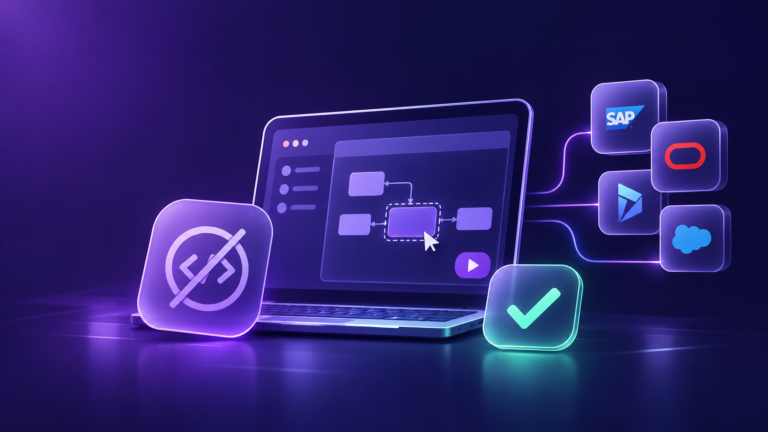
No-code test automation lets teams build and run automated software tests without writing code. Instead of scripting, testers record actions, drag and drop steps, or describe a test in plain English, and the tool turns that into an automated test that can run again on every release. It is also called codeless test automation.
Key Takeaways
- No-code test automation lets the people who know a business process best, such as finance users, sales ops, and business analysts, automate its tests without learning to code.
- It is especially useful for enterprise applications like SAP, Salesforce, and mainframes, which change often, are hard to script against, and run critical processes.
- Good tools identify screen elements intelligently and repair tests when the interface changes (self-healing), which keeps maintenance low.
- No-code does not replace every kind of testing. Complex logic, performance, and some integration tests still need specialists.
Why Enterprise Apps Are Hard to Automate with Code
Scripted test automation, using frameworks such as Selenium, works well for a modern web app owned by one development team. Enterprise applications are different:
- They change on someone else’s schedule. Salesforce delivers three major releases a year (Spring, Summer, and Winter), and production orgs are upgraded automatically. Every release can affect your customizations.
- They are being migrated. SAP’s mainstream maintenance for ECC ends in late 2027, with optional extended maintenance to the end of 2030, so many companies are moving to S/4HANA and need to retest core processes.
- They are not just web pages. SAP GUI, mainframe “green screens”, and desktop clients do not behave like a browser, so web-only scripting tools cannot reach them.
- The experts are not programmers. The people who know how an order-to-cash or claims process should work are usually business users, not automation engineers.
- Processes cross systems. A single business flow can start in Salesforce, continue in SAP, and finish on a customer web portal.
The result is a familiar pattern: automation scripts break with every release, a small team spends most of its time fixing them, and much of the regression testing stays manual.
How No-Code Test Automation Works
Most no-code tools follow the same four steps:
- Capture the process. Record yourself doing the task, assemble it from drag-and-drop steps, or describe it in plain English (some tools now generate test steps from a description using AI).
- Identify the screen elements. The tool recognizes fields, buttons, and tables by their properties and context, not by brittle code-level locators.
- Add checks and data. Define what should be true at each step (“order status is Completed”) and plug in test data so one test can run with many values.
- Run and maintain. Schedule tests or trigger them from a release pipeline. When the interface changes, self-healing tools adjust the test automatically or flag it for review.
No-code vs. low-code vs. codeless
These terms are often mixed up. Here is how they are generally used:
| No-code / codeless | Low-code | Scripted (code-based) | |
| How tests are built | Recording, drag and drop, plain English | Visual builder, plus code for complex steps | Written entirely in code |
| Who builds them | Business users, manual testers, QA | QA engineers with some coding skill | Automation engineers |
| Flexibility | Limited to what the tool supports | High | Highest |
| Maintenance | Low, with self-healing | Medium | High |
| Best for | Business process and regression testing | Mixed teams and complex flows | Custom logic, frameworks, deep integration |
“No-code” and “codeless” mean the same thing in practice. “Low-code” tools add an option to write code for the steps a visual builder cannot handle.
No-Code Testing by Application Type
SAP
Why it is hard: SAP runs through SAP GUI and Fiori screens, uses many custom (“Z”) transactions, and changes with every transport, support pack, and migration step.
What a no-code test looks like: A business analyst records an order-to-cash flow: create a sales order, create the delivery, post goods issue, and create the invoice. They then add checks (the document flow shows all four documents, and the invoice amount matches the order) and a data table with 20 customer and material combinations. The same test now runs before every transport reaches production.
Salesforce
Why it is hard: Salesforce Lightning pages are built dynamically, so element IDs change between sessions, and three mandatory releases a year can shift layouts. Custom objects, flows, and permission sets differ in every org.
What a no-code test looks like: A sales operations admin builds a test in plain steps: create a lead, convert it to an opportunity, move the opportunity to “Closed Won”, and verify that a renewal task is created for the account owner. The test runs in a sandbox before each Salesforce release reaches production, catching a broken flow before sales reps notice it. (See how this applies to Salesforce release testing.)
Mainframe
Why it is hard: Mainframe applications use text-based 3270 terminal screens and batch jobs, not web pages, and the people who understand them are often few and close to retirement. Mainframes are still central to large enterprises: according to IBM, as reported by Network World, they are used by 71% of Fortune 500 companies and by 44 of the top 50 banks.
What a no-code test looks like: An operations tester records an account inquiry on the green screen: sign on, enter the transaction code, type an account number into the account field, and check that the balance and status fields show the expected values. The tool reads the screen by field position and label, so no one has to write terminal-emulation code. (For more depth, read our AI-powered mainframe testing guide.)
Web Applications
Why it is hard: Modern web apps use frameworks like React and Angular, update constantly, and must work across several browsers.
What a no-code test looks like: A QA analyst records a customer portal journey: log in, search for an order, download the invoice, and log out. The tool runs it on Chrome, Edge, Firefox, and Safari. When a developer renames the “Download” button to “Get invoice”, a self-healing tool recognizes it as the same button and keeps the test running.
One process, four applications
The biggest payoff comes when one test follows a business process across systems. Example: A deal closes in Salesforce, which creates a sales order in SAP, which updates a legacy mainframe billing record, which shows the customer an order status on the web portal. A no-code tool that supports all four can test that entire flow in one run, which is exactly where manual testing is slowest and most error-prone.
Benefits of No-Code Test Automation
- Business experts can automate their own processes, so tests reflect how the business really works.
- Faster test creation: recording or describing a process is quicker than scripting it.
- Lower maintenance: self-healing reduces the time spent fixing broken tests after each release.
- One approach across applications: the same team can cover SAP, Salesforce, mainframe, and web.
- Faster, safer releases: regression suites that once took weeks of manual effort can run automatically before every update.
When No-Code Is Not Enough
No-code automation is not the answer to every testing need. Plan for these limits:
- Complex logic: heavy calculations or unusual conditional flows may need scripted steps or a low-code tool.
- Performance and load testing: this usually needs specialized tools.
- Test data: automation is only as good as its data. In Capgemini’s World Quality Report 2025-26, 60% of organizations said they struggle with secure, scalable test data.
- Tool lock-in: tests built in one vendor’s format may not move easily to another tool. Ask about export options.
- Weak object recognition: basic record-and-playback tools break easily. Look for strong element identification and self-healing, especially for SAP GUI, Salesforce Lightning, and mainframe screens.
How to Get Started
- Pick one critical, stable process, such as order-to-cash in SAP or lead-to-opportunity in Salesforce.
- Involve the business user who owns it to record or describe the test.
- Add checks and test data, then run it in a test environment.
- Schedule it before every release or connect it to your deployment pipeline.
- Measure the time saved and defects caught, then expand to the next process.
When you are ready to compare tools, our guide on how to choose an AI-powered test automation platform walks through the evaluation criteria.
How Zyrix Approaches No-Code Test Automation
Zyrix Test Autopilot is a codeless, AI-powered test automation tool for web, mobile, desktop, API, and enterprise applications including SAP, Salesforce, Oracle, and Dynamics 365. It explores user flows to generate test cases in plain English, builds tests with drag and drop, and self-heals when the interface changes.
Frequently Asked Questions
What is no-code test automation?
No-code test automation is a way to build and run automated software tests without writing code. Testers record actions, use drag-and-drop steps, or describe tests in plain English, and the tool turns them into repeatable automated tests.
Is codeless test automation the same as no-code test automation?
Yes. “Codeless” and “no-code” test automation are used interchangeably. Both mean creating automated tests without writing scripts. Low-code automation is different: it adds the option to write code for complex steps.
Can no-code tools test SAP and Salesforce?
Yes, if the tool supports them. Enterprise-focused no-code tools recognize SAP GUI, SAP Fiori, and Salesforce Lightning elements and handle their frequent changes. General web-only tools often struggle with these applications.
Can you automate mainframe testing without code?
Yes. Some no-code tools read 3270 terminal screens by field position and label, so testers can record mainframe transactions and add checks without writing terminal-emulation scripts.
Who should use no-code test automation?
Business analysts, process owners, manual testers, and QA teams who understand how the application should work but do not write code. Automation engineers also use it to build common tests faster.
Does no-code test automation replace automation engineers?
No. It lets more people create tests, but engineers are still needed for complex logic, performance testing, framework and pipeline setup, and governance of the test suite.